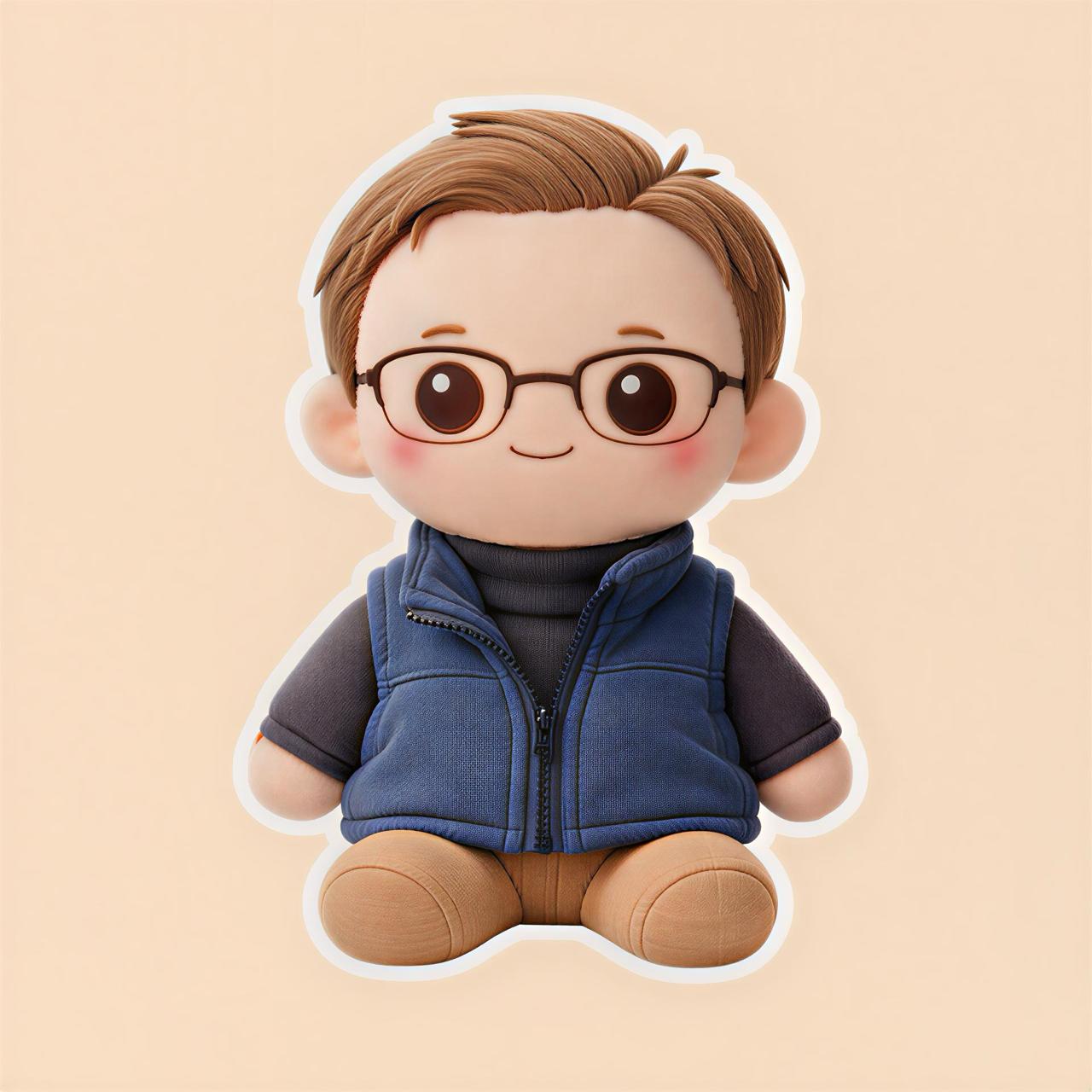
How to Turn Your Pet Into a Plush-Style AI Image
Your pet already looks cute in photos. But have you ever wondered what your dog, cat, rabbit, or bird would look like as a soft plush toy?
That is exactly the kind of image you can create with Plushify.
Plushify is an AI plush generator that helps you turn pet photos into cute plush-style images. Instead of only keeping a normal photo, you can create a soft, toy-like version that looks adorable, fun, and easy to share.
Want to try it with your pet? Use Plushify to upload a photo and create a plush-style AI image.
Why Turn Your Pet Into a Plush-Style Image?
Pet owners love saving photos of their pets, but sometimes a regular photo does not feel special enough.
A plush-style version can make your pet look:
- Softer
- Cuter
- More playful
- More toy-like
- More shareable
- More like a custom stuffed animal concept
This is especially fun if your pet has a unique face, funny expression, fluffy fur, or a strong personality.
For example, you can create a plush-style image of:
- Your dog as a stuffed toy
- Your cat as a soft plush character
- Your rabbit as a cute toy design
- Your bird as a tiny plush mascot
- Your hamster as a miniature plush-style character
It is a simple way to turn a normal pet photo into something more creative.
What Is a Pet Plush AI Generator?
A pet plush AI generator is a tool that uses artificial intelligence to transform a pet photo into a plush-inspired image.
Instead of making your pet look like a normal cartoon, the goal is to give the image a soft toy style.
A plush-style pet image may include details like:
- Rounded features
- Soft fabric-like texture
- Cute button-style eyes
- Fluffy edges
- Stuffed toy proportions
- A more gentle and adorable look
Plushify is made for this type of transformation. You upload your pet photo, and the app helps create a plush-style version from it.
Best Pet Photos to Use With Plushify
The photo you choose can make a big difference.
AI image results usually work better when the subject is clear. So if you want a better plush-style pet image, start with a good photo.
Use a clear face photo
Photos where your pet's face is clearly visible usually work best.
Try to choose a photo where:
- Your pet is facing the camera
- The eyes are visible
- The face is not covered
- The photo is not too blurry
- The lighting is good
A close-up photo often works better than a photo where your pet is far away.
Avoid dark or blurry photos
If the image is too dark, too blurry, or too crowded, the AI may not understand the pet's features clearly.
Try to avoid photos where:
- The pet is moving too fast
- The background is very messy
- The face is hidden
- The lighting is too low
- The image is heavily zoomed or pixelated
You do not need a professional photo. A simple, clear phone photo is enough.
Try different expressions
One fun thing about pet plush images is that different expressions can create different results.
You can try photos where your pet looks:
- Happy
- Sleepy
- Curious
- Serious
- Confused
- Excited
- Calm
Sometimes the funniest or most emotional pet photos make the best plush-style images.
How to Turn Your Pet Into a Plush-Style Image
Using Plushify is simple.
Step 1: Choose your pet photo
Pick a clear photo of your pet.
This could be a photo of your:
- Dog
- Cat
- Rabbit
- Bird
- Hamster
- Guinea pig
- Turtle
- Other pet
For best results, choose a photo where your pet is easy to see.
Step 2: Upload the photo to Plushify
Open Plushify and upload your pet photo.
You do not need to write a complicated prompt or use design software. The app is made to make the process simple.
Step 3: Generate the plush-style result
Let Plushify create the plush-inspired AI image.
The result can help you imagine what your pet might look like as a cute soft toy or stuffed animal-style character.
Step 4: Save or share your image
Once your plush-style image is ready, you can save it or share it.
You can use it as:
- A profile picture
- A phone wallpaper
- A social media post
- A gift idea
- A memory image
- A cute before-and-after edit
Try Plushify with your favorite pet photo and create a plush-style version in seconds.
Fun Ways to Use Your Pet Plush Image
A plush-style pet image is not just a random AI edit. You can use it in several fun ways.
1. Make a cute profile picture
Your pet already deserves attention. A plush-style version can make your profile picture feel more unique and playful.
You can use it for:
- TikTok
- Discord
- YouTube
- Gaming profiles
2. Create a before-and-after post
Before-and-after posts are easy to understand.
You can post:
- Original pet photo
- Plush-style version
- Caption like: “I turned my dog into a plush toy”
This type of content is simple, visual, and fun.
3. Use it as gift inspiration
If you are thinking about a custom pet plush gift, a plush-style AI image can help you visualize the idea first.
It can give you a better sense of:
- How the pet might look as a toy
- Which photo works best
- What details should stand out
- Whether the idea feels cute enough to turn into a gift
Plushify creates images, not physical plush toys, but the image can still be useful as a concept or inspiration.
4. Make a pet memory image
Some pet photos are special because they remind you of a moment.
Turning that photo into a plush-style image can make it feel even softer and more emotional.
You can use it as a small keepsake, wallpaper, or creative memory.
5. Create matching images for multiple pets
If you have more than one pet, you can try creating plush-style images for all of them.
For example:
- One plush-style image for each cat
- A matching dog plush set
- A cute pet family collection
- A social media carousel of all your pets
This can be especially fun if your pets have different personalities.
Why Use Plushify Instead of Editing the Photo Yourself?
You could try to manually edit your pet photo, but it is not easy to make a photo look like a plush toy.
You would need to think about:
- Fabric texture
- Soft edges
- Toy-like proportions
- Rounded shapes
- Cute eyes
- Color matching
- Background style
That takes time and design skill.
Plushify makes the process easier because it is focused on plush-style AI images. You upload your pet photo and let the app do the creative transformation.
Tips for Better Pet Plush Results
Here are some simple tips before you upload your pet photo:
- Use a clear photo
- Make sure the pet's face is visible
- Choose good lighting
- Avoid heavy blur
- Use a simple background if possible
- Try more than one photo
- Pick photos that show your pet's personality
If one result is not your favorite, try another photo. Sometimes a slightly different angle can create a much better plush-style image.
Is This the Same as Ordering a Real Custom Pet Plush?
No.
Plushify creates an AI-generated plush-style image. It does not create or ship a physical plush toy.
However, it can still be useful if you want to:
- Create a cute pet edit
- Make a fun social media post
- Visualize a plush gift idea
- Use the image as inspiration
- See what your pet might look like as a stuffed toy
So if you are searching for a way to turn your pet into a plush-style image quickly, Plushify is a simple option.
FAQ
Can I turn my dog into a plush-style image?
Yes. You can upload a dog photo to Plushify and create a cute plush-style AI image.
Can I turn my cat into a plush-style image?
Yes. Cat photos can work really well, especially when the face, eyes, and fur details are clear.
Does Plushify make a real pet plush toy?
No. Plushify creates AI-generated plush-style images. It does not make or ship physical plush toys.
What pet photos work best?
Clear, well-lit photos where your pet's face is visible usually work best.
Can I use the image on social media?
Yes. You can use your plush-style pet image for social media posts, profile pictures, wallpapers, or fun before-and-after content.
Can I use Plushify for pets other than cats and dogs?
Yes. You can try it with rabbits, birds, hamsters, guinea pigs, and other pets too.
Final CTA
Your pet already looks cute. Now imagine that same photo as a soft plush-style AI image.
Try Plushify now and turn your pet photo into a cute plush-style design.